
Introduction
Vibe Coding Mobile Apps changes how teams build mobile applications. You describe what you want in plain language, and an AI agent writes the code. No syntax memorization. No boilerplate typing. Just intent, translated into working software.
This guide breaks down the full process. You’ll learn the core concepts, the best tools for the job, a real build methodology, and the security checks that keep AI-generated code safe for production. Everything here comes from direct testing across iOS TestFlight and Android Internal Beta builds, not theory.
What Is Vibe Coding?
Vibe coding means you describe an outcome, and an AI model generates the code to reach it. Andrej Karpathy popularized the term to describe a workflow where developers stop reading every line of generated code and instead judge the result by whether it works and feels right.
In mobile development, this looks like typing a prompt such as “build a habit tracker with a streak counter and daily reminders,” then watching an agentic IDE scaffold screens, navigation, and state logic in minutes.
The shift matters because it changes the developer’s job. You move from writing syntax to directing intent, while still relying on architectural judgment to identify and prevent bad decisions. But you spend less time on repetitive code and more time on the product itself.
Vibe Coding vs. Low-Code/No-Code vs. Traditional Mobile Engineering
These three approaches solve the same problem in different ways.
| Approach | How It Works | Best For | Main Risk |
| Traditional Engineering | Developers write every line by hand | Complex, long-lived enterprise apps | Slow time to market |
| Low-Code/No-Code (FlutterFlow, Bubble) | Visual builders with drag-and-drop components | Simple apps with fixed patterns | Limited flexibility past the platform’s rules |
| Vibe Coding (Cursor, Replit Agent, Claude Code) | Natural language prompts generate real, editable code | Rapid prototyping and MVPs | Hallucinated dependencies and unreviewed logic |
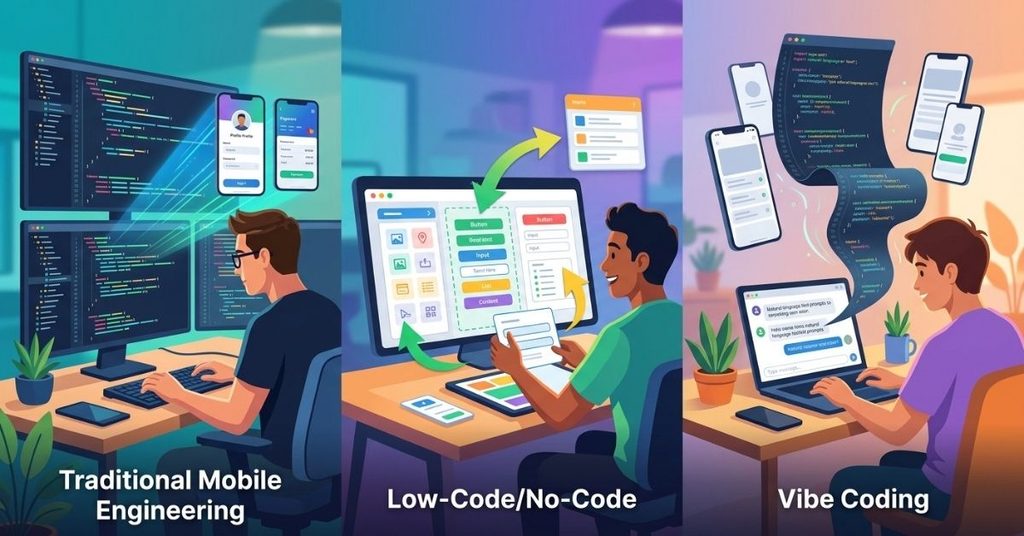
Low-code tools trade flexibility for speed. You get a working app fast, but you hit walls the moment you need custom logic outside the platform’s templates.
Vibe coding keeps you inside real code. You can still open a file and rewrite a function by hand when the AI gets something wrong.
That’s the core difference: low-code locks you into a visual editor; vibe coding hands you a real, inspectable codebase.
How Natural Language Replaces Syntax in Mobile Workflows
Traditional mobile development follows a fixed chain: requirements, specs, code, build, test. Vibe coding compresses that chain into a loop: intent, prompt, AI generation, interactive testing, prompt refinement.
You state what you want. The AI generates a first pass. You run the app, spot what’s off, and describe the fix in another prompt. Each round tightens the gap between what you imagined and what the app actually does.
This loop works well for UI layout, navigation flow, and standard CRUD screens. It struggles more with deep architectural decisions, things like data modeling for offline sync or complex state machines; here, the AI has no visibility into your long-term plans unless you spell them out.
The Core Tech Stack & Tooling Ecosystem
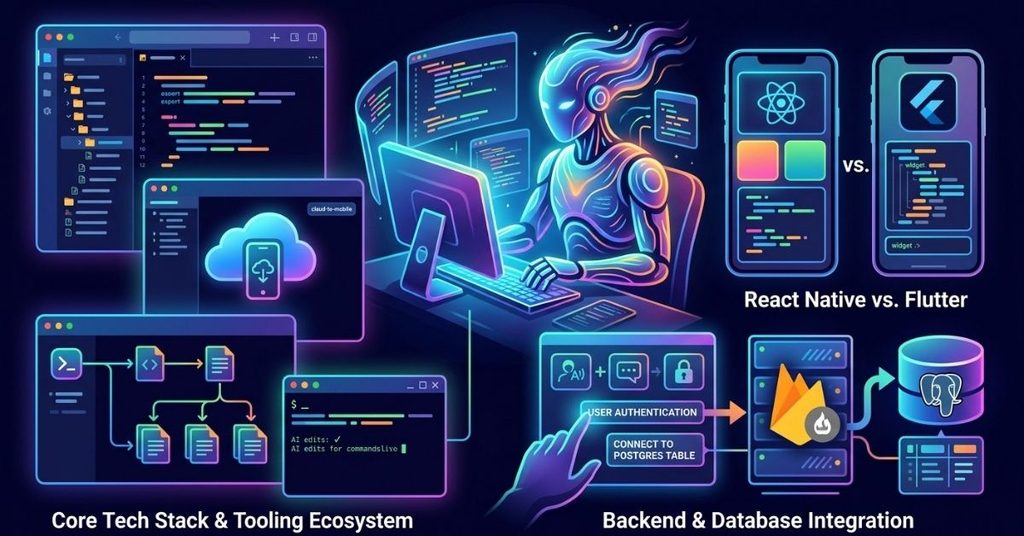
Top Agentic IDEs for Mobile Apps
Three tools currently lead mobile-focused vibe coding:
- Cursor runs as a full IDE fork with deep codebase context. It reads your entire project before generating changes, which reduces the chance of conflicting edits across files.
- Replit Agent builds and deploys in the same environment. It’s strong for solo builders who want to go from prompt to a shareable link without configuring a local dev environment.
- Windsurf focuses on multi-step agentic tasks, chaining several file edits together from a single prompt, which suits larger feature builds.
Claude Code fits into this group too, working well from the terminal for developers who want AI-driven edits without leaving their existing command-line workflow.
Framework Selection: React Native vs. Flutter for AI Generation
Both frameworks work with vibe coding, but they behave differently under AI generation.
React Native has a larger training footprint across most AI models, since it shares JavaScript patterns the models have seen extensively.
This means fewer hallucinated APIs and cleaner first-pass component code. Flutter’s Dart syntax is less common in training data, so AI-generated Flutter code needs more manual correction, especially for state management patterns like Riverpod or Bloc.
If your priority is minimizing AI errors, lean toward React Native. If your priority is a single, tightly consistent UI across platforms, Flutter still holds an edge; you’ll just review its AI output more carefully.
Backend & Database Integration via Natural Language Prompts
Prompting an AI to “add user authentication” or “connect this screen to a Postgres table” works, but only when you give it a clear target. Vague prompts lead to vague implementations, often an in-memory mock instead of a real database call.
The fix is specificity. Name the backend service (Supabase, Firebase, a custom REST API), name the exact fields, and state the error-handling behavior you expect. Treat the prompt like a spec, not a wish.
Structured Comparison: Where Vibe Coding Fits in Mobile Development
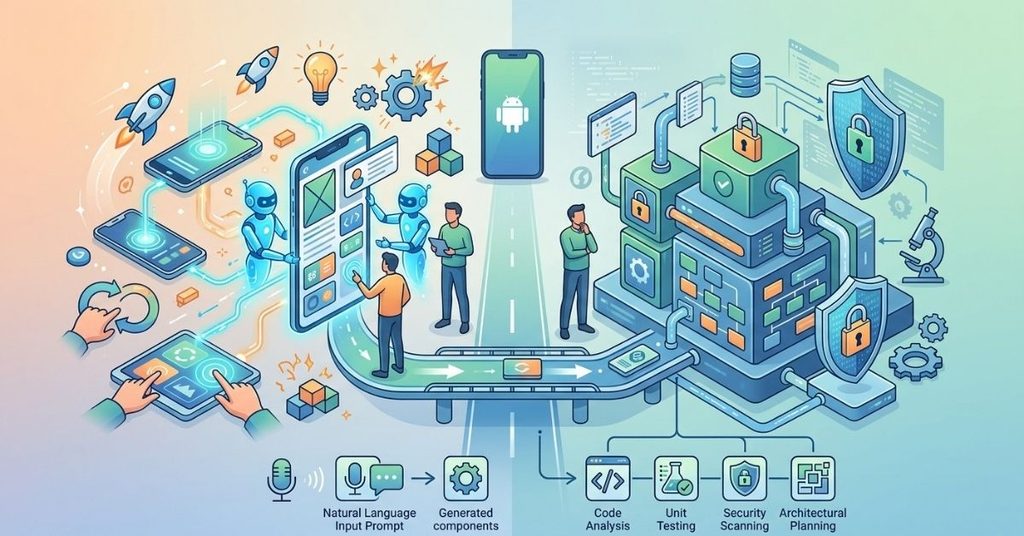
Vibe coding works best when developers use it according to the project’s complexity, risk level, and development stage. Instead of treating it as a replacement for every mobile development method, think of it as an AI-assisted workflow that can accelerate specific parts of the process.
Best Use Cases for Vibe Coding
Vibe coding delivers the most value during early development and repetitive implementation work. Developers can use natural-language prompts to create interface components, navigation flows, form screens, API integrations, and basic state logic.
It works especially well for:
- Rapid MVP development
- UI prototypes and design experiments
- Standard CRUD functionality
- Internal business applications
- Repetitive components and boilerplate code
- Proof-of-concept projects
- Learning and experimentation, especially when beginners want to understand practical coding concepts and work through Python Programming Homework Help
These tasks usually follow recognizable patterns, which gives AI coding tools enough context to produce useful first-pass implementations.
Where Vibe Coding Needs More Oversight
AI-generated code becomes harder to manage when an application depends on complex business rules, large-scale data synchronization, strict security requirements, or long-term maintainability.
Developers should apply additional review to:
- Authentication and authorization
- Payment processing
- Offline-first synchronization
- Complex state management
- Encryption and sensitive data handling
- Performance-critical features
- Large multi-module codebases
- Third-party integrations with strict API requirements
In these areas, developers should use AI as an implementation assistant rather than allowing it to make architectural decisions independently.
Choosing the Right Workflow
The best workflow depends on what you need to accomplish. Use vibe coding when speed, experimentation, and rapid iteration matter most. Combine it with conventional engineering practices when the application requires strong reliability, security, scalability, or long-term maintenance.
For a small prototype, you might let AI generate most of the initial code and then review the important parts manually. For a production application, keep architecture, dependency selection, security decisions, testing, and final code review under human control.
This approach gives you the speed of AI-assisted development without treating generated code as automatically production-ready.
Step-by-Step Methodology: Building a Mobile App Without Writing Code
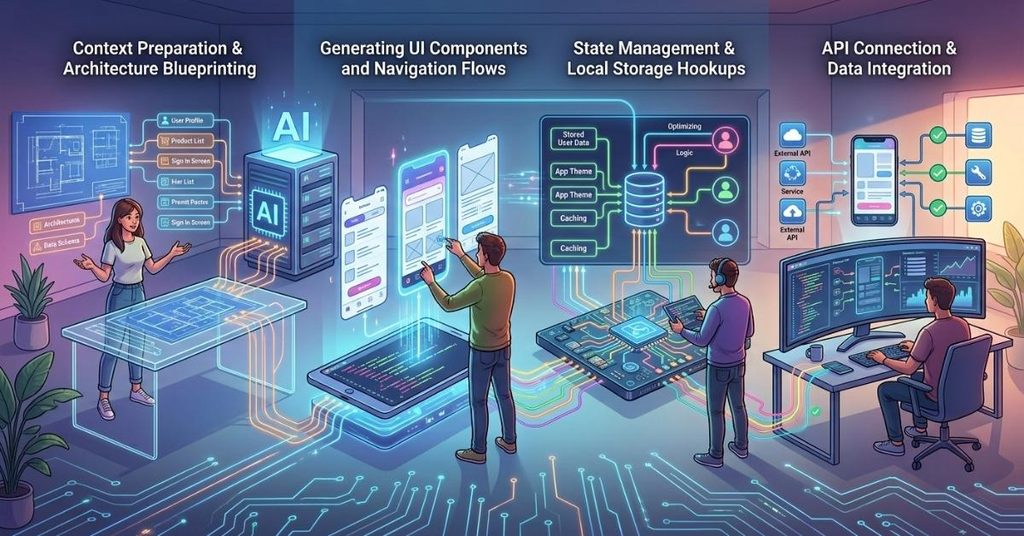
Phase 1: Context Preparation & Architecture Blueprinting
Before the first prompt, define the app’s shape. List the screens, the data models, and the navigation flow in plain text. Feed this to the AI as a project brief before asking for any code.
A clear project brief gives Vibe Coding Mobile Apps a stronger foundation and reduces the structural mistakes that AI can introduce during development.
This single step prevents most of the structural drift that shows up later in long sessions.
Phase 2: Generating UI Components and Navigation Flows
Start with the shell: tab bar or drawer navigation, then individual screens. Prompt one screen at a time rather than the whole app at once. This keeps each generation focused and easier to review.
Phase 3: State Management & Local Storage Hookups
Once screens exist, wire up state. Be explicit about what needs to persist (user preferences, cached data) versus what’s transient (form inputs, loading flags).
Ask the AI to use a single, named state management pattern across the app; mixing patterns is a common source of bugs in AI-generated codebases.
Phase 4: API Connection & Data Integration
Connect real endpoints last, after the UI and state layers are stable. Test each API call in isolation before wiring it into the full user flow. This makes it far easier to trace a bug back to its source: a bad prompt, a bad endpoint, or a bad state update.
Case Study: Building a Health Habit Tracker
Project Scope & Prompt Architecture
A recent build involved a health-conscious habit tracker: daily check-ins, streak tracking, and local encrypted storage for sensitive entries. The prompts covered screen layout, a local database schema, and a secure storage layer for personal health notes.
The Package Hallucination Incident: A Security Vulnerability to Watch For
Midway through the build, the AI generated an import for a package called react-native-secure-health-vault, a plausible-sounding library that doesn’t exist on npm.
This pattern, sometimes called “slopsquatting,” creates a real supply-chain risk: an attacker can register that exact package name and publish malicious code, waiting for developers to install it without checking.
This is one of the most underrated risks in vibe coding. The generated code compiles fine in the editor. It only fails or, worse, silently succeeds with malicious code installed at the npm install step.
The Resolution: Human-in-the-Loop Verification
Every dependency the AI suggests needs a manual check before installation: search the exact package name on npm, confirm the publisher, check download counts and repository activity, and look for a recent commit history.
If a package looks unfamiliar or has near-zero downloads, treat it as a red flag and ask the AI to use a verified, well-known alternative instead.
Enterprise Security & Production Hardening Framework

Threat Modeling for AI-Generated Mobile Code
Treat every AI-generated file the way you’d treat a pull request from an unfamiliar contributor. Assume nothing about intent or safety until you’ve reviewed it. This is especially true for authentication flows, data storage, and anything touching user credentials.
A Four-Stage Audit Method for Production Readiness
Before any vibe-coded app reaches production, run it through four checks:
- Prompt Verification: Confirm the AI’s output matches the architectural scope you actually asked for, not just something that “looks right.”
- Dependency Audit: Check every package against the npm registry for legitimacy and recent maintenance activity.
- Performance Review: Look for unnecessary re-renders, memory leaks, and inefficient list rendering, especially in React Native and Flutter, where AI-generated code often skips memoization.
- Human Code Review: Apply manual, zero-trust scrutiny to anything touching authentication, payments, or personal data storage.
App Store Compliance for AI-Built Applications
Apple and Google don’t grant exceptions for AI-generated code. Both platforms still require privacy manifests, clear data-handling disclosures, and stable performance under review.
Run the same compliance checklist you’d use for hand-written code: permission usage, data collection disclosures, and crash-free session rates before any submission.
Future Outlook: From Vibe Coding to Autonomous Mobile Engineering
Longer Context Windows and Full Repository Awareness
As models handle larger context windows, they’ll hold more of a mobile codebase in view at once. This should reduce the duplicate-function and drift problems that show up in longer sessions today, since the AI won’t need to guess at code it can’t see.
The Evolving Role of the Mobile Architect
The job isn’t disappearing; it’s shifting upward. Less time goes into typing boilerplate; more time goes into architecture decisions, security review, and judgment calls the AI can’t make on its own.
The developers who get the most out of vibe coding are the ones who still understand what good mobile architecture looks like, even if they’re prompting instead of typing it directly.
Frequently Asked Questions
Is vibe coding safe for production mobile apps?
It can be, but only with a review layer in place. Raw AI output needs a dependency audit, a security pass, and human review before it reaches an app store.
Do I need to know how to code to use vibe coding tools?
No, but it helps. Non-developers can build working prototypes. Shipping a secure, maintainable app still benefits from someone who understands architecture and can catch mistakes the AI misses.
Is Vibe Coding Mobile Apps suitable for beginners?
Yes. Vibe Coding Mobile Apps can help beginners create functional prototypes without writing every line of code manually. However, anyone preparing an app for production should understand basic architecture, testing, security, and deployment requirements.
What is package hallucination, and why does it matter?
It’s when an AI generates a reference to a software package that doesn’t actually exist. Attackers can register that exact name with malicious code inside, creating a supply-chain risk if you install it without checking.
Which framework works best for vibe coding: React Native or Flutter?
React Native generally produces cleaner first-pass AI output because of its larger presence in model training data. Flutter still works well, but expect more manual correction of AI-generated Dart code.
How long can I keep a single AI coding session going?
Keep sessions focused. Quality tends to drift the longer a single conversation runs. Starting a fresh session with a clear project summary works better than one long, sprawling thread.
Conclusion
Vibe Coding Mobile Apps puts real mobile app development within reach of far more people. It speeds up prototyping, lowers the barrier to entry, and lets experienced developers move faster on routine work. None of that removes the need for judgment.
The tools generate code fast, but they don’t understand security, maintainability, or your long-term architecture goals the way a careful developer does.
Treat every AI-generated line the way you’d treat code from a new contributor: useful, often good, but never above review. Build the audit habits into your workflow from day one, and vibe coding becomes a genuine accelerator instead of a hidden liability.

I am Qasim Ali, a technology enthusiast passionate about exploring the latest innovations shaping our digital world. With 5+ years of experience in technology and digital trends, I share practical insights on AI, software, hardware, cybersecurity, programming, and emerging technologies. Through Techvens, my goal is to simplify complex technology and help readers stay informed, confident, and ahead in the fast-moving tech world.